Main menu
You are here
Agreguesi i feed
DebianDay Celebrations and comments
Debian Celebrates 30 years!
We celebrated our birthday this year and we had a great time with new friends, new members welcomed to the community, and the world.
We have collected a few comments, videos, and discussions from around the Internet, and some images from some of the DebianDay2023 events. We hope that you enjoyed the day(s) as much as we did!
"Debian 30 years of collective intelligence" -Maqsuel Maqson
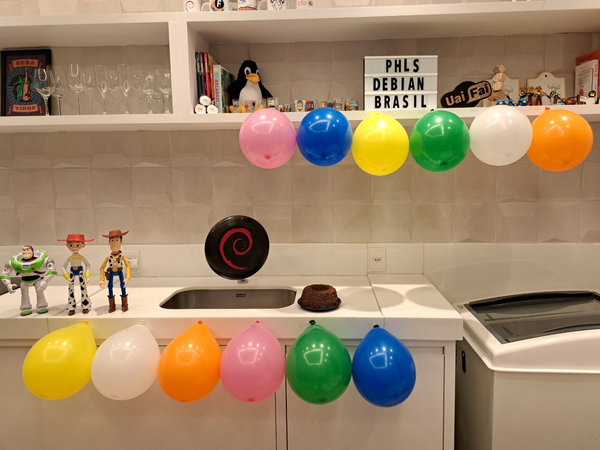
Honorary Debian Developers: Buzz, Jessie, and Woody welcome guests to this amazing party.
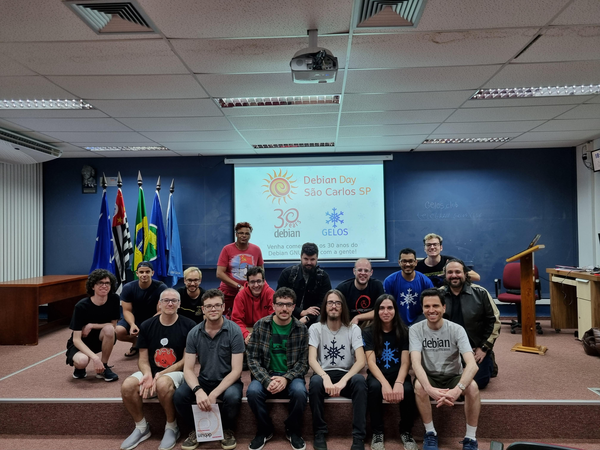
Sao Carlos, state of Sao Paulo, Brazil
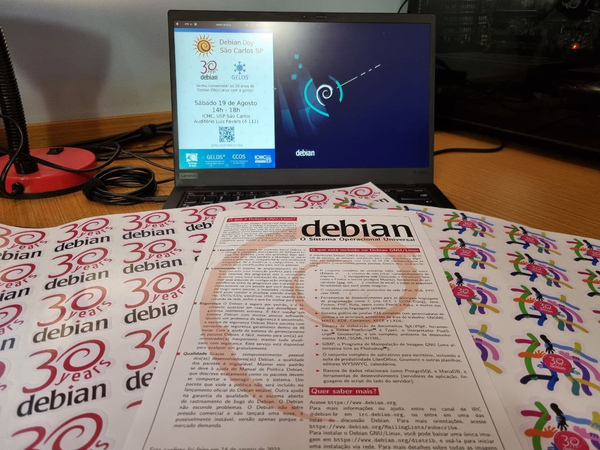
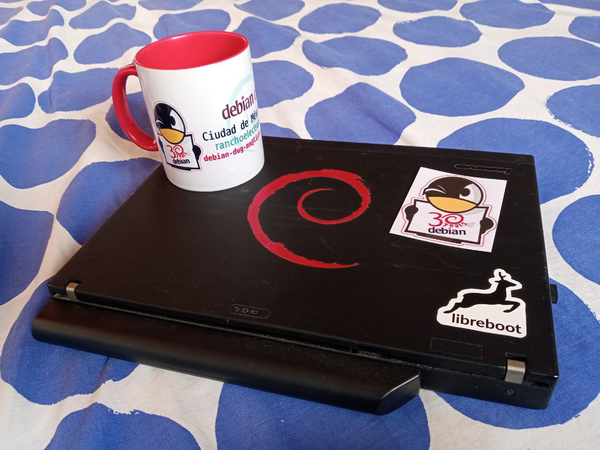
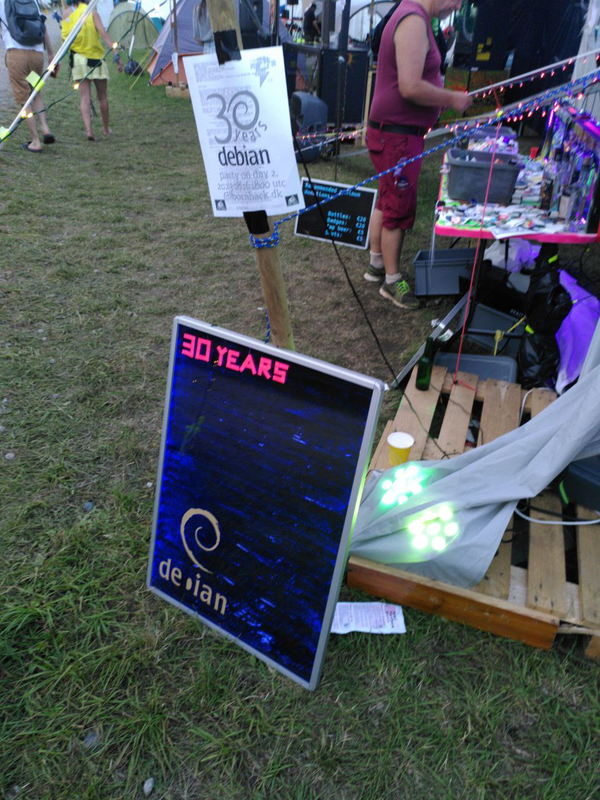
Stickers, and Fliers, and Laptops, oh my!
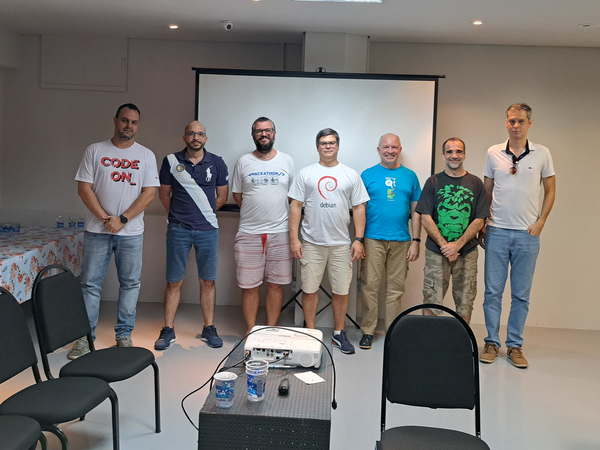
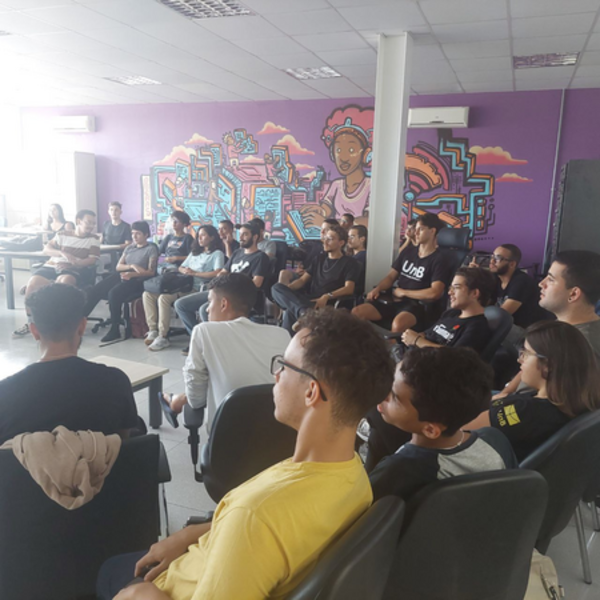
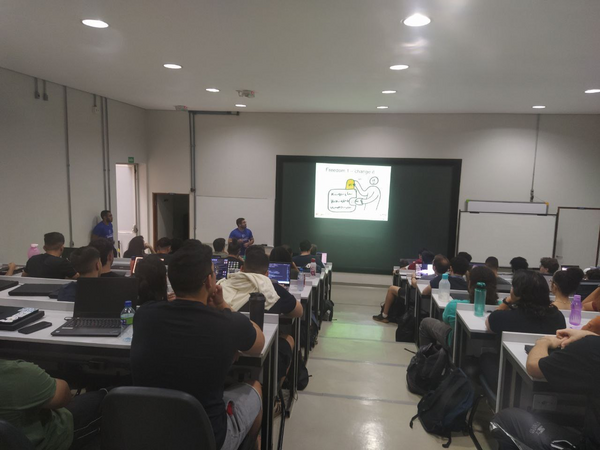
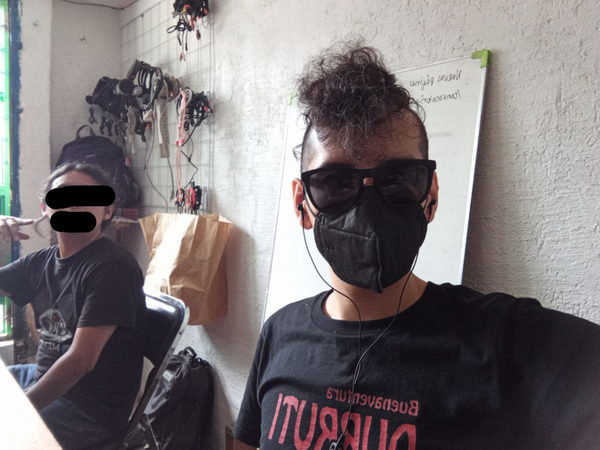
We do not encourage beverages on computing hardware, but this one is okay by us.
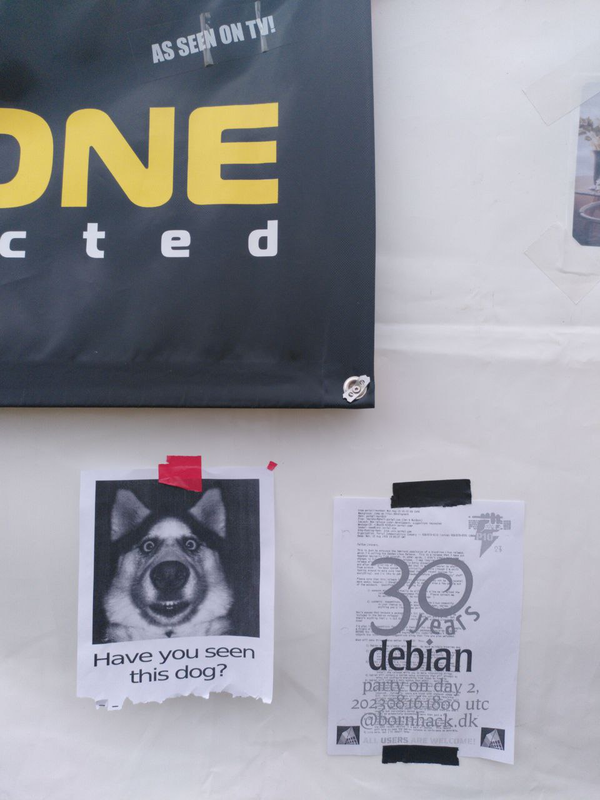
The German Delegation is also looking for this dog who footed the bill for the party, then left mysteriously.
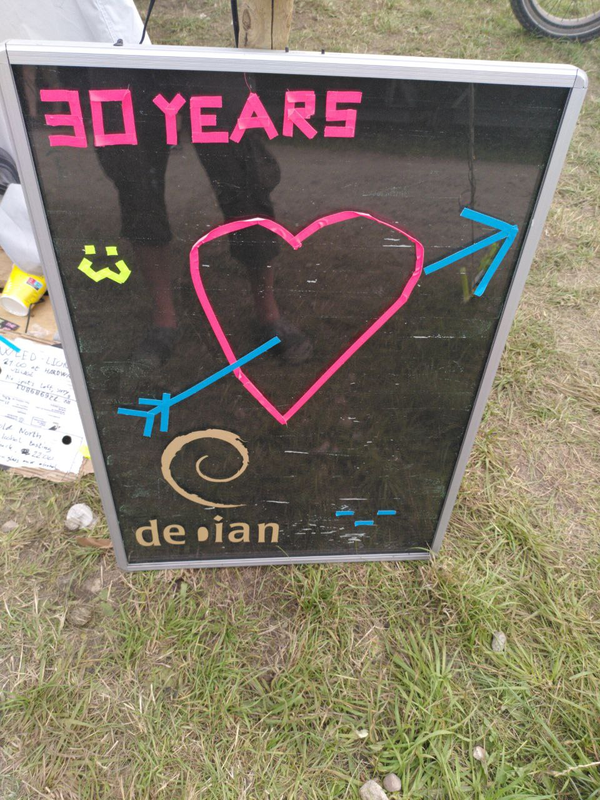
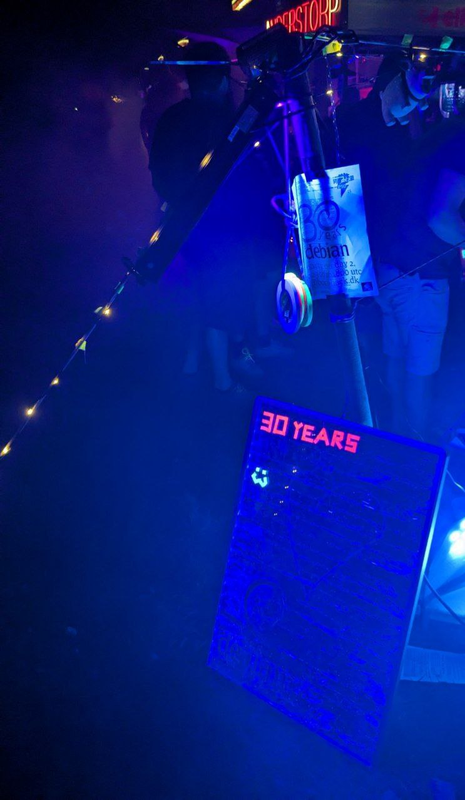
We brought the party back inside at CCCamp
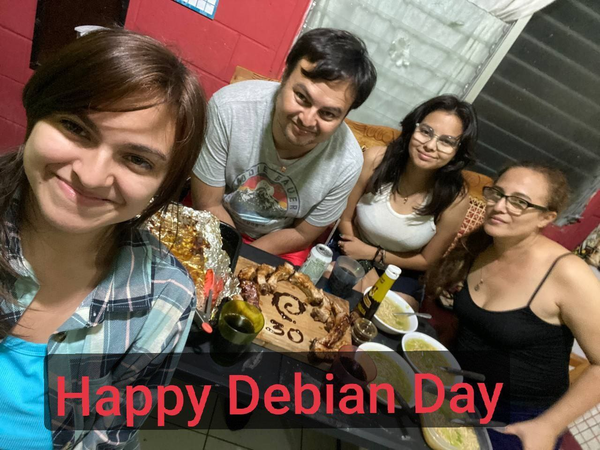
Food and Fellowship in El Salvador
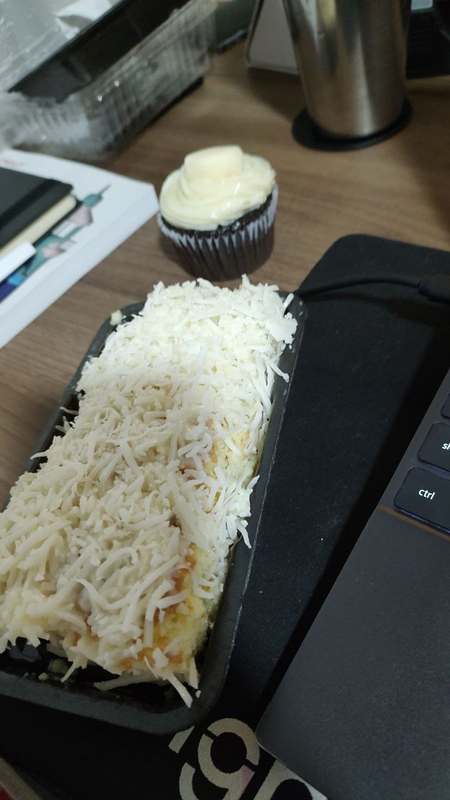
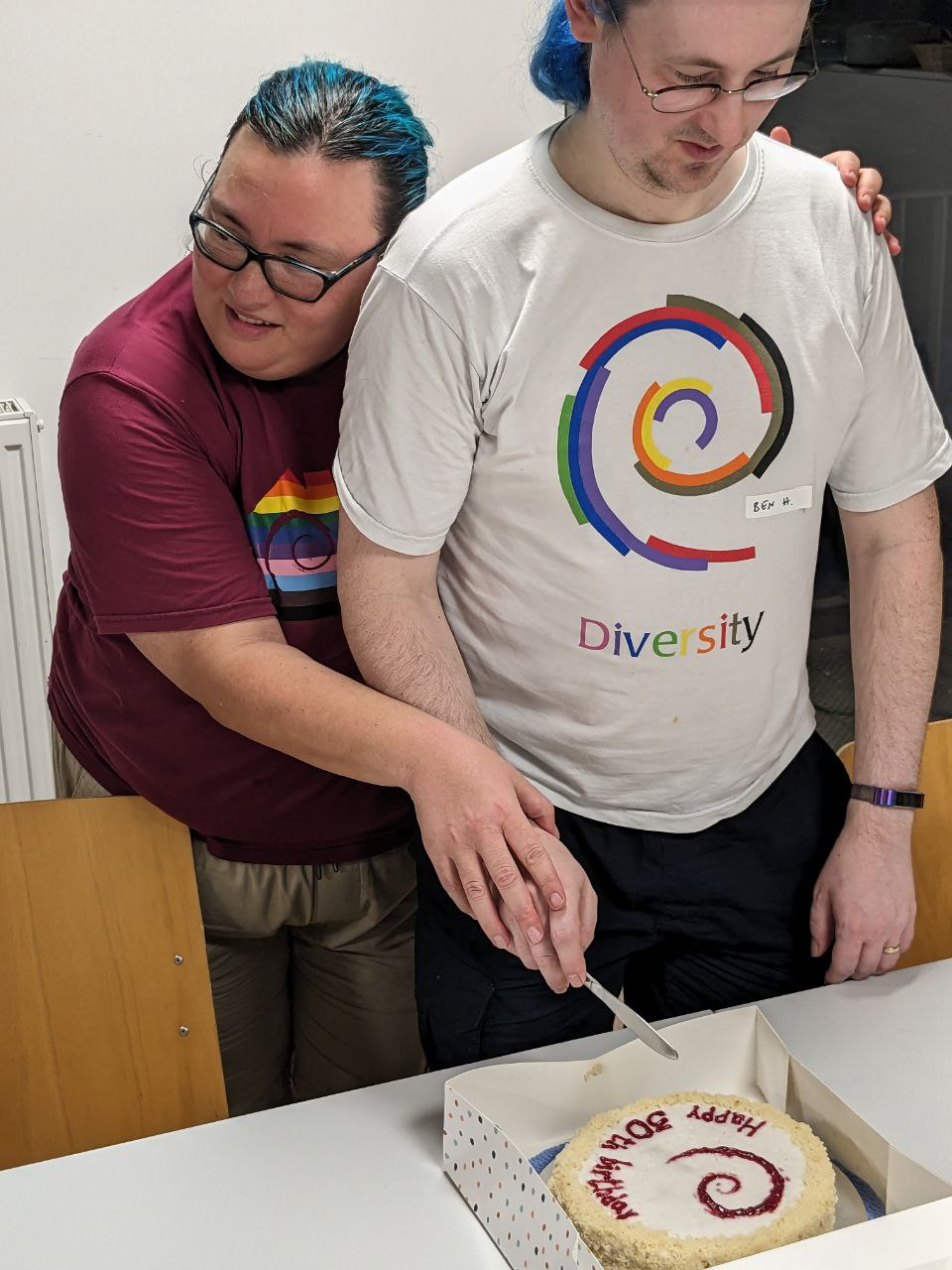
Debian is also very delicious!

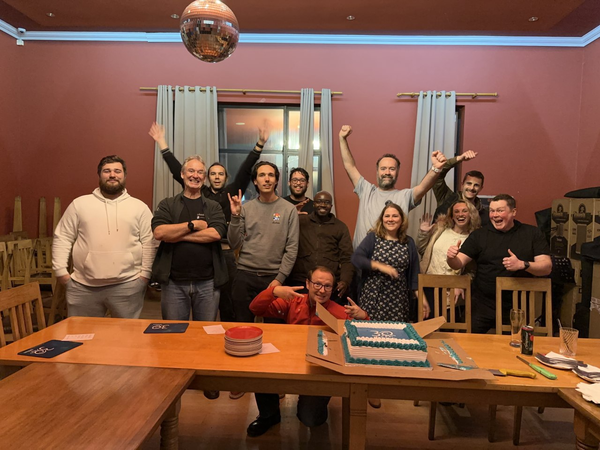
All smiles waiting to eat the cake
Reports
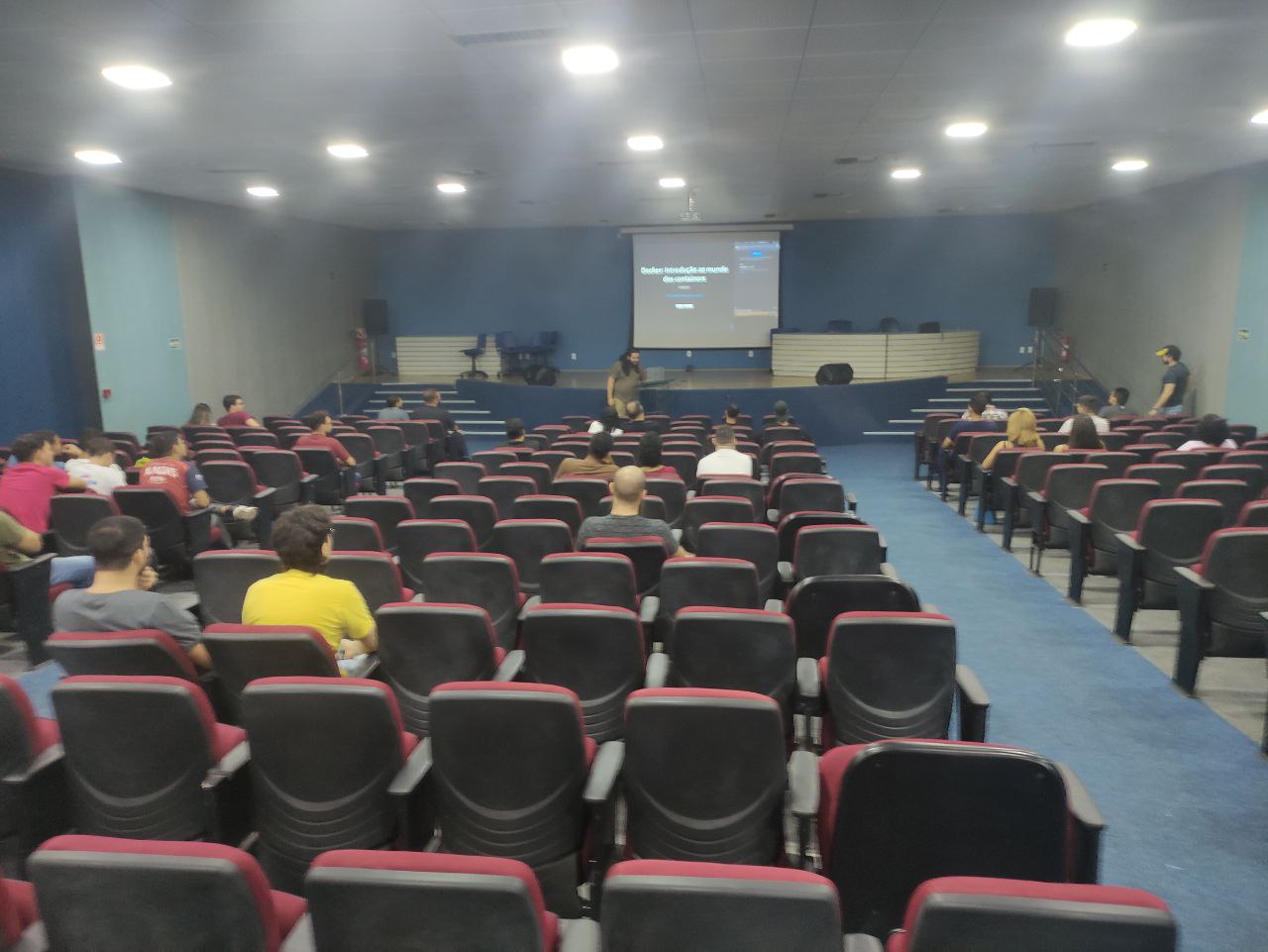
Debian Day 30 years in Maceió - Brazil
Debian Day 30 years in São Carlos - Brazil
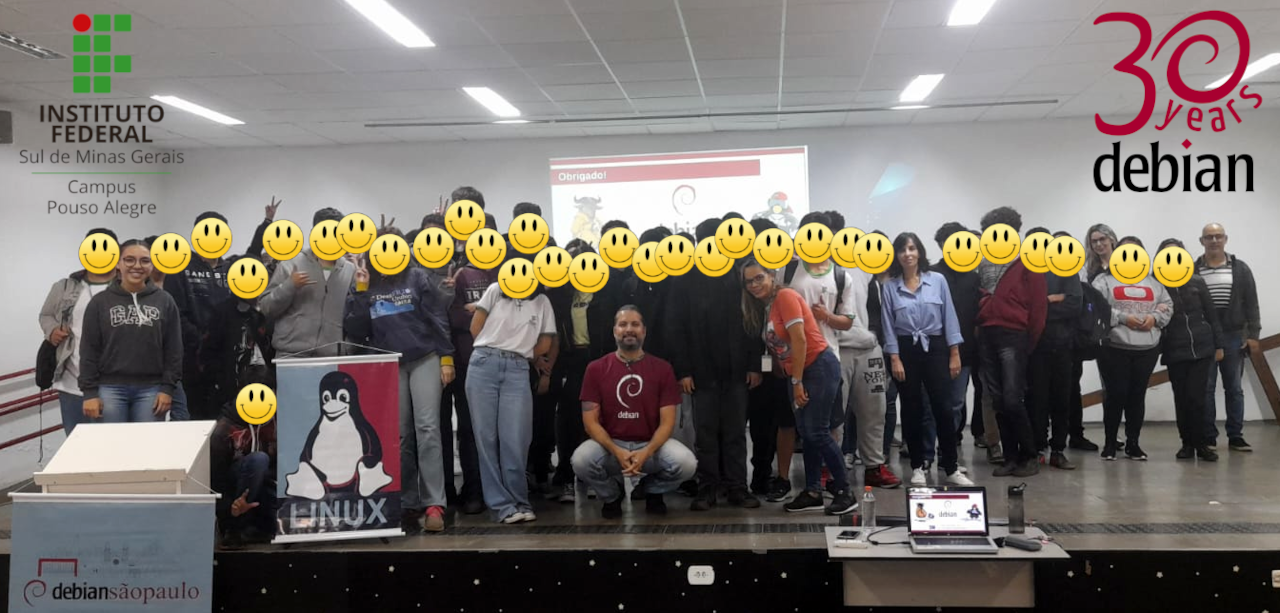
Debian Day 30 years in Pouso Alegre - Brazil
Debian Day 30 years in Belo Horizonte - Brazil
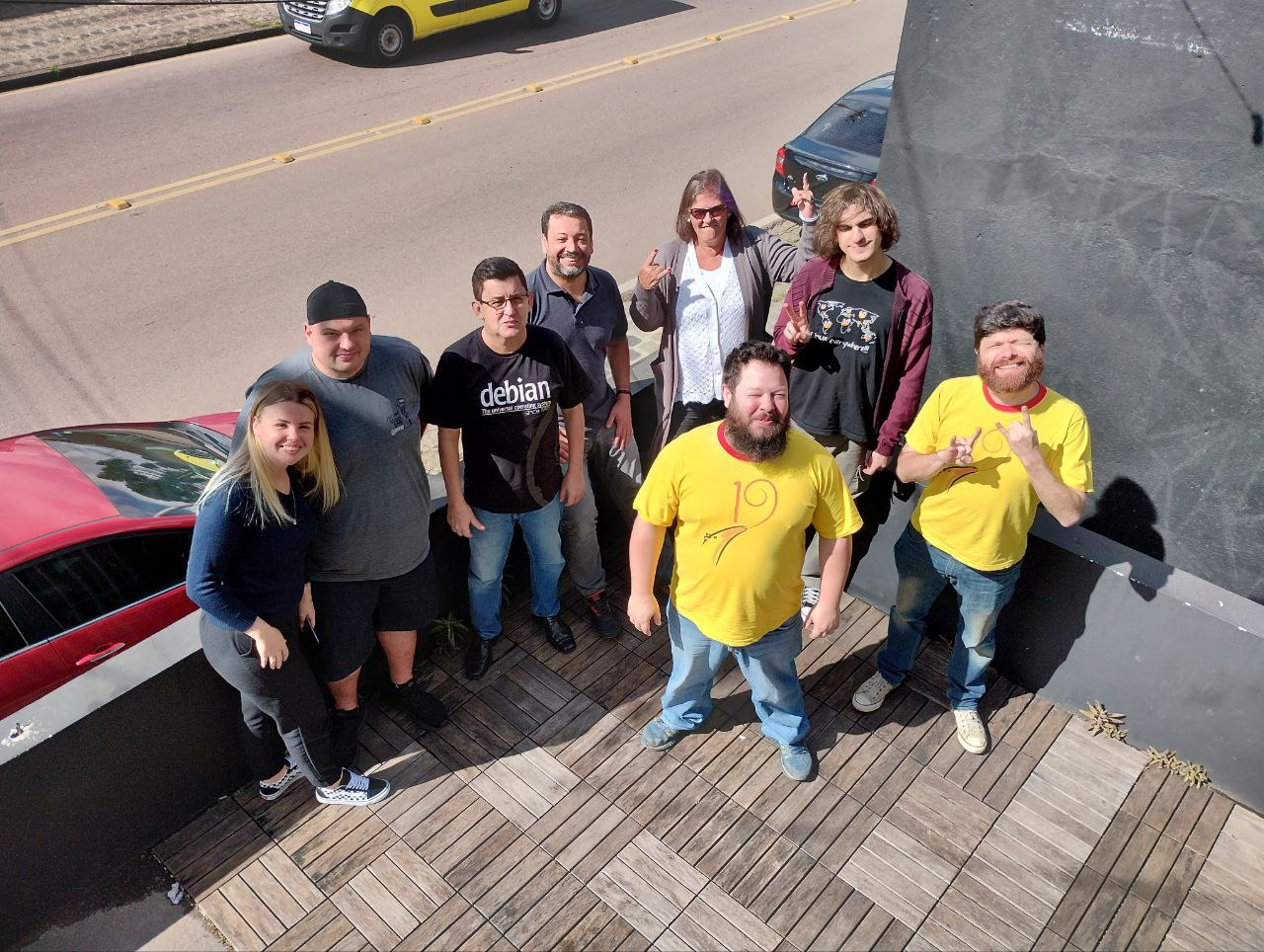
Debian Day 30 years in Curitiba - Brazil
Debian Day 30 years in Brasília - Brazil
Debian Day 30 years online in Brazil
Articles & Blogs
Happy Debian Day - going 30 years strong - Liam Dawe
Debian Turns 30 Years Old, Happy Birthday! - Marius Nestor
30 Years of Stability, Security, and Freedom: Celebrating Debian’s Birthday - Bobby Borisov
Happy 30th Birthday, Debian! - Claudio Kuenzier
Debian is 30 and Sgt Pepper Is at Least Ninetysomething - Christine Hall
Debian turns 30! -Corbet
Thirty years of Debian! - Lennart Hengstmengel
Debian marks three decades as 'Universal Operating System' - Sam Varghese
Debian Linux Celebrates 30 Years Milestone - Joshua James
30 years on, Debian is at the heart of the world's most successful Linux distros - Liam Proven
Looking Back on 30 Years of Debian - Maya Posch
Cheers to 30 Years of Debian: A Journey of Open Source Excellence - arindam
Discussions and Social Media
Debian Celebrates 30 Years - Source: News YCombinator
Brand-new Linux release, which I'm calling the Debian ... Source: News YCombinator
Comment: Congrats @debian !!! Happy Birthday! Thank you for becoming a cornerstone of the #opensource world. Here's to decades of collaboration, stability & #software #freedom -openSUSELinux via X (formerly Twitter)
Comment: Today we #celebrate the 30th birthday of #Debian, one of the largest and most important cornerstones of the #opensourcecommunity. For this we would like to thank you very much and wish you the best for the next 30 years! Source: X (Formerly Twitter -TUXEDOComputers via X (formerly Twitter)
Happy Debian Day! - Source: Reddit.com
Video The History of Debian | The Beginning - Source: Linux User Space
Debian Celebrates 30 years -Source: Lobste.rs
Video Debian At 30 and No More Distro Hopping! - LWDW388 - Source: LinuxGameCast
Siemens welcomed as a Platinum Sponsor of DebConf23!
We are pleased to announce that Siemens has committed to sponsor DebConf23 as Platinum Sponsor.
Siemens is a technology company focused on industry, infrastructure and transport. From resource-efficient factories, resilient supply chains, smarter buildings and grids, to cleaner and more comfortable transportation, and advanced healthcare, the company creates technology with purpose adding real value for customers. By combining the real and the digital worlds, Siemens empowers its customers to transform their industries and markets, helping them to transform the everyday for billions of people.
With this commitment as Platinum Sponsor, Siemens is contributing to make possible our annual conference, and directly supporting the progress of Debian and Free Software, helping to strengthen the community that continues to collaborate on Debian projects throughout the rest of the year.
Thank you very much Siemens, for your support of DebConf23!
Debian Celebrates 30 years!
Over 30 years ago the late Ian Murdock wrote to the comp.os.linux.development newsgroup about the completion of a brand-new Linux release which he named "The Debian Linux Release".
He built the release by hand, from scratch, so to speak. Ian laid out guidelines for how this new release would work, what approach the release would take regarding its size, manner of upgrades, installation procedures; and with great care of consideration for users without Internet connection.
Unaware that he had sparked a movement in the fledgling F/OSS community, Ian worked on and continued to work on Debian. The release, now aided by volunteers from the newsgroup and around the world, grew and continues to grow as one of the largest and oldest FREE operating systems that still exist today.
Debian at its core is comprised of Users, Contributors, Developers, and Sponsors, but most importantly, People. Ians drive and focus remains embedded in the core of Debian, it remains in all of our work, it remains in the minds and hands of the users of The Universal Operating System.
The Debian Project is proud and happy to share our anniversary not exclusively unto ourselves, instead we share this moment with everyone, as we come together in celebration of a resounding community that works together, effects change, and continues to make a difference, not just in our work but around the world.
Debian is present in cluster systems, datacenters, desktop computers, embedded systems, IoT devices, laptops, servers, it may possibly be powering the web server and device you are reading this article on, and it can also be found in Spacecraft.
Closer to earth, Debian fully supports projects for accessibility: Debian Edu/Skolelinux - an operating system designed for educational use in schools and communities, Debian Science - providing free scientific software across many established and emerging fields, Debian Hamradio - for amateur radio enthusiasts, Debian-Accessibility - a project focused on the design of an operating system suited to fit the requirements of people with disabilites, and Debian Astro - focused on supporting professional and hobbyist astronomers.
Debian strives to give, reach, embrace, mentor, share, and teach with internships through many programs internally and externally such as the Google Summer of Code, Outreachy, and the Open Source Promotion Plan.
None of this could be possible without the vast amount of support, care, and contributions from what started as and is still an all volunteer project. We celebrate with each and every one who has helped shape Debian over all of these years and toward the future.
Today we all certainly celebrate 30 years of Debian, but know that Debian celebrates with each and every one of you all at the same time.
Over the next few days Celebration parties are planned to take place in Austria, Belgium, Bolivia, Brazil, Bulgaria, Czech Republic, France, Germany (CCCcamp), India, Iran, Portugal, Serbia, South Africa, and Turkey.
You are of course, invited to join us!
Check out, attend, or form your very own DebianDay 2023 Event.
See you then!
Thank you, thank you all so very much.
With Love,
The Debian Project
Debian Project Bits Volume 1, Issue 1
Debian Project Bits Volume 1, Issue 1 August 05, 2023
Welcome to the inaugural issue of Debian Project Bits!Those remembering the Debian Weekly News (DwN) will recognize some of the sections here which served as our inspiration.
Debian Project Bits posts will allow for a faster turnaround of some project news on a monthly basis. The Debian Micronews service will continue to share shorter news items, the Debian Project News remains as our official newsletter which may move to a biannual archive format.
News Debian DayThe Debian Project was officially founded by Ian Murdock on August 16, 1993. Since then we have celebrated our Anniversary of that date each year with events around the world. We would love it if you could join our revels this very special year as we have the honor of turning 30!
Attend or organize a local Debian Day celebration. You're invited to plan your own event: from Bug Squashing parties to Key Signing parties, Meet-Ups, or any type of social event whether large or small. And be sure to check our Debian reimbursement How To if you need such resources.
You can share your days, events, thoughts, or notes with us and the rest of the community with the #debianday tag that will be used across most social media platforms. See you then!
Events: Upcoming and Reports Upcoming Debian 30 anosThe Debian Brasil Community is organizing the event Debian 30 anos to celebrate the 30th anniversary of the Debian Project.
From August 14 to 18, between 7pm and 22pm (UTC-3) contributors will talk online in Portuguese and we will live stream on Debian Brasil YouTube channel.
DebConf23: Debian Developers Camp and ConferenceThe 2023 Debian Developers Camp (DebCamp) and Conference (DebConf23) will be hosted this year in Infopark, Kochi, India.
DebCamp is slated to run from September 3 through 9, immediately followed by the larger DebConf, September 10 through 17.
If you are planning on attending the conference this year, now is the time to ensure your travel documentation, visa information, bursary submissions, papers and relevant equipment are prepared. For more information contact: debconf@debconf.
MiniDebConf Cambridge 2023There will be a MiniDebConf held in Cambridge, UK, hosted by ARM for 4 days in November: 2 days for a mini-DebCamp (Thu 23 - Fri 24), with space for dedicated development / sprint / team meetings, then two days for a more regular MiniDebConf (Sat 25 - Sun 26) with space for more general talks, up to 80 people.
ReportsDuring the last months, the Debian Community has organized some Bug Squashing Parties:
Tilburg, Netherlands. October 2022.
St-Cergue, Switzerland. January 2023
Montreal, Canada. February 2023
In January, Debian India hosted the MiniDebConf Tamil Nadu in Viluppuram, Tamil Nadu, India (Sat 28 - Sun 26).
The following month, the MiniDebConf Portugal 2023 was held in Lisbon (12 - 16 February 2023).
These events, seen as a stunning success by some of their attendees, demonstrate the vitality of our community.
Debian Brasil Community at Campus Party Brazil 2023Another edition of Campus Party Brazil took place in the city of São Paulo between July 25th and 30th. And one more time the Debian Brazil Community was present. During the days in the available space, we carry out some activities such as:
- Gifts for attendees (stickers, cups, lanyards);
- Workshop on how to contribute to the translation team;
- Workshop on packaging;
- Key signing party;
- Information about the project;
For more info and a few photos, check out the organizers' report.
MiniDebConf Brasília 2023From May 25 to 27, Brasília hosted the MiniDebConf Brasília 2023. This gathering was composed of various activities such as talks, workshops, sprints, BSPs (Bug Squashing Party), key signings, social events, and hacking, aimed to bring the community together and celebrate the world's largest Free Software project: Debian.
For more information please see the full report written by the organizers.
Debian Reunion Hamburg 2023This year the annual Debian Reunion Hamburg was held from Tuesday 23 to 30 May starting with four days of hacking followed by two days of talks, and then two more days of hacking. As usual, people - more than forty-five attendees from Germany, Czechia, France, Slovakia, and Switzerland - were happy to meet in person, to hack and chat together, and much more. If you missed the live streams, the video recordings are available.
Translation workshops from the pt_BR teamThe Brazilian translation team, debian-l10n-portuguese, had their first workshop of 2023 in February with great results. The workshop was aimed at beginners, working in DDTP/DDTSS.
For more information please see the full report written by the organizers.
And on June 13 another workshop took place to translate The Debian Administrator's Handbook). The main goal was to show beginners how to collaborate in the translation of this important material, which has existed since 2004. The manual's translations are hosted on Weblate.
Releases Stable ReleaseDebian 12 bookworm was released on June 10, 2023. This new version becomes the stable release of Debian and moves the prior Debian 11 bullseye release to oldstable status. The Debian community celebrated the release with 23 Release Parties all around the world.
Bookworm's first point release 12.1 address miscellaneous bug fixes affecting 88 packages, documentation, and installer updates was made available on July 22, 2023.
RISC-V supportriscv64 has recently been added to the official Debian architectures for support of 64-bit little-endian RISC-V hardware running the Linux kernel. We expect to have full riscv64 support in Debian 13 trixie. Updates on bootstrap, build daemon, porterbox, and development progress were recently shared by the team in a Bits from the Debian riscv64 porters post.
non-free-firmwareThe Debian 12 bookworm archive now includes non-free-firmware; please be sure to update your apt sources.list if your systems requires such components for operation. If your previous sources.list included non-free for this purpose it may safely be removed.
apt sources.listThe Debian archive holds several components:
- main: Contains DFSG-compliant packages, which do not rely on software outside this area to operate.
- contrib: Contains packages that contain DFSG-compliant software, but have dependencies not in main.
- non-free: Contains software that does not comply with the DFSG.
- non-free-firmware: Firmware that is otherwise not part of the Debian system to enable use of Debian with hardware that requires such firmware.
For more information and guidelines on proper configuration of the apt source.list file please see the Configuring Apt Sources - Wiki page.
Inside Debian New Debian MembersPlease welcome the following newest Debian Project Members:
- Marius Gripsgard (mariogrip)
- Mohammed Bilal (rmb)
- Emmanuel Arias (amanu)
- Robin Gustafsson (rgson)
- Lukas Märdian (slyon)
- David da Silva Polverari (polverari)
To find out more about our newest members or any Debian Developer, look for them on the Debian People list.
SecurityDebian's Security Team releases current advisories on a daily basis. Some recently released advisories concern these packages:
trafficserver Several vulnerabilities were discovered in Apache Traffic Server, a reverse and forward proxy server, which could result in information disclosure or denial of service.
asterisk A flaw was found in Asterisk, an Open Source Private Branch Exchange. A buffer overflow vulnerability affects users that use PJSIP DNS resolver. This vulnerability is related to CVE-2022-24793. The difference is that this issue is in parsing the query record parse_query(), while the issue in CVE-2022-24793 is in parse_rr(). A workaround is to disable DNS resolution in PJSIP config (by setting nameserver_count to zero) or use an external resolver implementation instead.
flask It was discovered that in some conditions the Flask web framework may disclose a session cookie.
chromium Multiple security issues were discovered in Chromium, which could result in the execution of arbitrary code, denial of service or information disclosure.
Other Popular packagesgpgv - GNU privacy guard signature verification tool. 99,053 installations. gpgv is actually a stripped-down version of gpg which is only able to check signatures. It is somewhat smaller than the fully-blown gpg and uses a different (and simpler) way to check that the public keys used to make the signature are valid. There are no configuration files and only a few options are implemented.
dmsetup - Linux Kernel Device Mapper userspace library. 77,769 installations. The Linux Kernel Device Mapper is the LVM (Linux Logical Volume Management) Team's implementation of a minimalistic kernel-space driver that handles volume management, while keeping knowledge of the underlying device layout in user-space. This makes it useful for not only LVM, but software raid, and other drivers that create "virtual" block devices.
sensible-utils - Utilities for sensible alternative selection. 96,001 daily users. This package provides a number of small utilities which are used by programs to sensibly select and spawn an appropriate browser, editor, or pager. The specific utilities included are: sensible-browser sensible-editor sensible-pager.
popularity-contest - The popularity-contest package. 90,758 daily users. The popularity-contest package sets up a cron job that will periodically anonymously submit to the Debian developers statistics about the most used Debian packages on the system. This information helps Debian make decisions such as which packages should go on the first CD. It also lets Debian improve future versions of the distribution so that the most popular packages are the ones which are installed automatically for new users.
New and noteworthy packages in unstableToolkit for scalable simulation of distributed applications SimGrid is a toolkit that provides core functionalities for the simulation of distributed applications in heterogeneous distributed environments. SimGrid can be used as a Grid simulator, a P2P simulator, a Cloud simulator, a MPI simulator, or a mix of all of them. The typical use-cases of SimGrid include heuristic evaluation, application prototyping, and real application development and tuning. This package contains the dynamic libraries and runtime.
LDraw mklist program 3D CAD programs and rendering programs using the LDraw parts library of LEGO parts rely on a file called parts.lst containing a list of all available parts. The program ldraw-mklist is used to generate this list from a directory of LDraw parts.
Open Lighting Architecture - RDM Responder Tests The DMX512 standard for Digital MultipleX is used for digital communication networks commonly used to control stage lighting and effects. The Remote Device Management protocol is an extension to DMX512, allowing bi-directional communication between RDM-compliant devices without disturbing other devices on the same connection. The Open Lighting Architecture (OLA) provides a plugin framework for distributing DMX512 control signals. The ola-rdm-tests package provides an automated way to check protocol compliance in RDM devices.
parsec-service Parsec is an abstraction layer that can be used to interact with hardware-backed security facilities such as the Hardware Security Module (HSM), the Trusted Platform Module (TPM), as well as firmware-backed and isolated software services. The core component of Parsec is the security service, provided by this package. The service is a background process that runs on the host platform and provides connectivity with the secure facilities of that host, exposing a platform-neutral API that can be consumed into different programming languages using a client library. For a client library implemented in Rust see the package librust-parsec-interface-dev.
Simple network calculator and lookup tool Process and lookup network addresses from the command line or CSV with ripalc. Output has a variety of customisable formats.
High performance, open source CPU/GPU miner and RandomX benchmark XMRig is a high performance, open source, cross platform RandomX, KawPow, CryptoNight, and GhostRider unified CPU/GPU miner and RandomX benchmark.
Ping, but with a graph - Rust source code This package contains the source for the Rust gping crate, packaged by debcargo for use with cargo and dh-cargo.
Once upon a time in Debian:2014-07-31 The Technical committee choose libjpeg-turbo as the default JPEG decoder.
2010-08-01 DebConf10 starts à New York City, USA
2007-08-05 Debian Maintainers approved by vote
2009-08-05 Jeff Chimene files bug #540000 against live-initramfs.
Calls for help The Publicity team calls for volunteers and help!Your Publicity team is asking for help from you our readers, developers, and interested parties to contribute to the Debian news effort. We implore you to submit items that may be of interest to our community and also ask for your assistance with translations of the news into (your!) other languages along with the needed second or third set of eyes to assist in editing our work before publishing. If you can share a small amount of your time to aid our team which strives to keep all of us informed, we need you. Please reach out to us via IRC on #debian-publicity on OFTC.net, or our public mailing list, or via email at press@debian.org for sensitive or private inquiries.
Registration and the Call for Proposals for DebConf23 are now open!
For DebConf23, we're pleased to announce opening of registration and call for proposal. Following is the info text -
Registration and the Call for Proposals for DebConf23 are now open. The 24th edition of the Debian annual conference will be held from September 10th to September 17th, 2023, in Infopark, Kochi, India. The main conference will be preceded by DebCamp, which will take place from September 3rd to September 9th, 2023.
The registration form can be accessed by creating an account on the DebConf23 website and clicking on "register" in the profile section. The number of attendees is capped at 300 this year. All registrations will be reviewed by bursary team, and completing the registration form does not guarantee attendance.
As always, basic registration for DebConf is free of charge for attendees. If you are attending the conference in a professional capacity or as a representative of your company, we kindly ask that you consider registering in one of our paid categories to help cover the costs of organizing the conference and to support subsidizing other community members.
The last day to register with guaranteed swag is 5th August.
We also encourage eligible individuals to apply for a diversity bursary. Travel, food, and accommodation bursaries are available. More details can be found on the bursary info page.
The last day to apply for a bursary is 1st July. Applicants should receive feedback on their bursary application by 16th July.
The call for proposals for talks, discussions and other activities is also open. To submit a proposal you need to create an account on the website, and then use the "Submit Talk" button in the profile section. The last day to submit and have your proposal be considered for the main conference schedule, with video coverage guaranteed, is 13th August.
DebConf23 is also accepting sponsors. Interested companies and organizations may contact the DebConf team through sponsors@debconf.org or visit the DebConf23 website.
Debian 12 "bookworm" has been released!
We're happy to announce the release of Debian 12, codenamed bookworm!
Want to install it? Choose your favourite installation media and read the installation manual. You can also use an official cloud image directly on your cloud provider, or try Debian prior to installing it using our "live" images.
Already a happy Debian user and you only want to upgrade? You can easily upgrade from your current Debian 11 "bullseye" installation; please read the release notes.
Do you want to celebrate the release? We provide some bookworm artwork that you can share or use as base for your own creations. Follow the conversation about bookworm in social media via the #ReleasingDebianBookworm and #Debian12Bookworm hashtags or join an in-person or online Release Party!
New Debian Developers and Maintainers (March and April 2023)
The following contributors got their Debian Developer accounts in the last two months:
- James Lu (jlu)
- Hugh McMaster (hmc)
- Agathe Porte (gagath)
The following contributors were added as Debian Maintainers in the last two months:
- Soren Stoutner
- Matthijs Kooijman
- Vinay Keshava
- Jarrah Gosbell
- Carlos Henrique Lima Melara
- Cordell Bloor
Congratulations!
proxmox Platinum Sponsor of DebConf23
We are pleased to announce that Proxmox has committed to sponsor DebConf23 as a Platinum Sponsor.
Proxmox develops powerful, yet easy-to-use open-source server software. The product portfolio from Proxmox, including server virtualization, backup, and email security, helps companies of any size, sector, or industry to simplify their IT infrastructures. The Proxmox solutions are based on the great Debian platform, and we are happy that we can give back to the community by sponsoring DebConf23.
With this commitment as Platinum Sponsor, Proxmox is contributing to make possible our annual conference, and directly supporting the progress of Debian and Free Software, helping to strengthen the community that continues to collaborate on Debian projects throughout the rest of the year.
Thank you very much Proxmox, for your support of DebConf23!
Become a sponsor too!DebConf23 will take place from September 10th to 17th, 2022 in Kochi, India, and will be preceded by DebCamp, from September 3rd to 9th.
And DebConf23 is accepting sponsors! Interested companies and organizations may contact the DebConf team through sponsors@debconf.org, and visit the DebConf23 website at https://debconf23.debconf.org/sponsors/become-a-sponsor/.
Infomaniak First Platinum Sponsor of DebConf23
We are pleased to announce that Infomaniak has committed to sponsor DebConf23 as a Platinum Sponsor.
Infomaniak is a key player in the European Cloud and the leading developer of Web technologies in Switzerland. It aims to be an independent European alternative to the web giants and is committed to an ethical and sustainable Web that respects privacy and creates local jobs. Infomaniak develops cloud solutions (IaaS, PaaS, VPS), productivity tools for online collaboration and video and radio streaming services.
The company uses only renewable electricity, offsets 200% of its CO2 emissions and extends the life of its servers up to 15 years. The company cools its infrastructure with filtered air, without air conditioning, and is building a new data centre that will fully recycle the energy it consumes to heat up to 6,000 homes.
With this commitment as Platinum Sponsor, Infomaniak is contributing to make possible our annual conference, and directly supporting the progress of Debian and Free Software, helping to strengthen the community that continues to collaborate on Debian projects throughout the rest of the year.
Thank you very much Infomaniak, for your support of DebConf23!
Become a sponsor too!DebConf23 will take place from September 10th to 17th, 2022 in Kochi, India, and will be preceded by DebCamp, from September 3rd to 9th.
And DebConf23 is accepting sponsors! Interested companies and organizations may contact the DebConf team through sponsors@debconf.org, and visit the DebConf23 website at https://debconf23.debconf.org/sponsors/become-a-sponsor/.
Debian Project Leader Election 2023, Jonathan Carter re-elected
The voting period for the Debian Project Leader election has ended, with all of the votes tallied we announce the winner is: Jonathan Carter, who has been elected for the forth time.
Congratulations! The new term for the project leader started on 2023-04-21.
279 of 997 Developers voted using the Condorcet method.
More information about the results of the voting are available on the Debian Project Leader Elections 2023 page.
Many thanks all of our Developers for voting.
New Debian Developers and Maintainers (January and February 2023)
The following contributors got their Debian Developer accounts in the last two months:
- Sahil Dhiman (sahil)
- Jakub Ružička (jru)
The following contributors were added as Debian Maintainers in the last two months:
- Josenilson Ferreira da Silva
- Ileana Dumitrescu
- Douglas Kosovic
- Israel Galadima
- Timothy Pearson
- Blake Lee
- Vasyl Gello
- Joachim Zobel
- Amin Bandali
Congratulations!
New Debian Developers and Maintainers (November and December 2022)
The following contributors got their Debian Developer accounts in the last two months:
- Dennis Braun (snd)
- Raúl Benencia (rul)
The following contributors were added as Debian Maintainers in the last two months:
- Gioele Barabucci
- Agathe Porte
- Braulio Henrique Marques Souto
- Matthias Geiger
- Alper Nebi Yasak
- Fabian Grünbichler
- Lance Lin
Congratulations!
New Debian Developers and Maintainers (September and October 2022)
The following contributors got their Debian Developer accounts in the last two months:
- Abraham Raji (abraham)
- Phil Morrell (emorrp1)
- Anupa Ann Joseph (anupa)
- Mathias Gibbens (gibmat)
- Arun Kumar Pariyar (arun)
- Tino Didriksen (tinodidriksen)
The following contributors were added as Debian Maintainers in the last two months:
- Gavin Lai
- Martin Dosch
- Taavi Väänänen
- Daichi Fukui
- Daniel Gröber
- Vivek K J
- William Wilson
- Ruben Pollan
Congratulations!
New Debian Developers and Maintainers (July and August 2022)
The following contributors got their Debian Developer accounts in the last two months:
- Sakirnth Nagarasa (sakirnth)
- Philip Rinn (rinni)
- Arnaud Rebillout (arnaudr)
- Marcos Talau (talau)
The following contributors were added as Debian Maintainers in the last two months:
- Xiao Sheng Wen
- Andrea Pappacoda
- Robin Jarry
- Ben Westover
- Michel Alexandre Salim
Congratulations!
Debian turns 29!

Today is Debian's 29th anniversary. We recently wrote about some ideas to celebrate the DebianDay, and several events have been planned in more than 14 locations. You can join the party or organise something yourselves too!
Today is also an opportunity for you to start or resume your contributions to Debian. For example, you can have a look at our list of Debian Teams, install the how-can-i-help package and see if there is a bug in any of the software that you use that you can help to fix, start designing your artwork candidate for the next release, contribute small tips on how to install Debian on your machines to our wiki pages https://wiki.debian.org/InstallingDebianOn/, or put a Debian live image in an USB memory and give it to some person near you, who still didn't discover Debian.
Our favorite operating system is the result of all the work we do together. Thanks to everybody who has contributed in these 29 years, and happy birthday Debian!
Debian Day 2022 - call for celebration
Every year on August 16th, the anniversary of the Debian Project takes place. And several communities around the world celebrate this date by organizing local meetings in an event called "Debian Day".
So, how about celebrating the 29th anniversary of the Debian Project in 2022 in your city?
We invite you and your local community to organize Debian Day by hosting an event with talks, workshops, bug squashing party, OpenPGP keysigning, etc. Or simply holding a meeting between people who like Debian in a bar/pizzeria/cafeteria/restaurant to celebrate. In other words, any type of meeting is valid!
But remember that the COVID-19 pandemic is not over yet, so take all necessary measures to protect attendees.
As the 16th of August falls on a Tuesday, if you think it's better to organize it during the weekend, no problem. The importance is to celebrate the Debian Project.
Remember to add your city to the Debian Day wiki page
There is a list of Debian Local Groups around the world. If your city is listed, talk to them to organize DebianDay together.
There is a list of Debian Local Groups around the world. If your city is listed, talk to them to organized the Debian Day together.
Let's use hashtags #DebianDay #DebianDay2022 on social media.
New Debian Developers and Maintainers (May and June 2022)
The following contributors got their Debian Developer accounts in the last two months:
- Geoffroy Berret (kaliko)
- Arnaud Ferraris (aferraris)
The following contributors were added as Debian Maintainers in the last two months:
- Alec Leanas
- Christopher Michael Obbard
- Lance Lin
- Stefan Kropp
- Matteo Bini
- Tino Didriksen
Congratulations!
DebConf22 closes in Prizren and DebConf23 dates announced

On Sunday 24 July 2022, the annual Debian Developers and Contributors Conference came to a close. Hosting 260 attendees from 38 different countries over a combined 91 event talks, discussion sessions, Birds of a Feather (BoF) gatherings, workshops, and activities, DebConf22 was a large success.
The conference was preceded by the annual DebCamp held 10 July to 16 July which focused on individual work and team sprints for in-person collaboration towards developing Debian. In particular, this year there have been sprints to advance development of Mobian/Debian on mobile, reproducible builds and Python in Debian, and a BootCamp for newcomers, to get introduced to Debian and have some hands-on experience with using it and contributing to the community.
The actual Debian Developers Conference started on Sunday 17 July 2022. Together with activities such as the traditional 'Bits from the DPL' talk, the continuous key-signing party, lightning talks and the announcement of next year's DebConf (DebConf23 in Kochi, India), there were several sessions related to programming language teams such as Python, Perl and Ruby, as well as news updates on several projects and internal Debian teams, discussion sessions (BoFs) from many technical teams (Long Term Support, Android tools, Debian Derivatives, Debian Installer and Images team, Debian Science...) and local communities (Debian Brasil, Debian India, the Debian Local Teams), along with many other events of interest regarding Debian and free software.
The schedule was updated each day with planned and ad-hoc activities introduced by attendees over the course of the entire conference. Several activities that couldn\'t be organized in past years due to the COVID pandemic returned to the conference\'s schedule: a job fair, open-mic and poetry night, the traditional Cheese and Wine party, the group photos and the Day Trip.
For those who were not able to attend, most of the talks and sessions were recorded for live streams with videos made, available through the Debian meetings archive website. Almost all of the sessions facilitated remote participation via IRC messaging apps or online collaborative text documents.
The DebConf22 website will remain active for archival purposes and will continue to offer links to the presentations and videos of talks and events.
Next year, DebConf23 will be held in Kochi, India, from September 10 to September 16, 2023. As tradition follows before the next DebConf the local organizers in India will start the conference activites with DebCamp (September 03 to September 09, 2023), with particular focus on individual and team work towards improving the distribution.
DebConf is committed to a safe and welcome environment for all participants. See the web page about the Code of Conduct in DebConf22 website for more details on this.
Debian thanks the commitment of numerous sponsors to support DebConf22, particularly our Platinum Sponsors: Lenovo, Infomaniak, ITP Prizren and Google.
About DebianThe Debian Project was founded in 1993 by Ian Murdock to be a truly free community project. Since then the project has grown to be one of the largest and most influential open source projects. Thousands of volunteers from all over the world work together to create and maintain Debian software. Available in 70 languages, and supporting a huge range of computer types, Debian calls itself the universal operating system.
About DebConfDebConf is the Debian Project's developer conference. In addition to a full schedule of technical, social and policy talks, DebConf provides an opportunity for developers, contributors and other interested people to meet in person and work together more closely. It has taken place annually since 2000 in locations as varied as Scotland, Argentina, and Bosnia and Herzegovina. More information about DebConf is available from https://debconf.org/.
About LenovoAs a global technology leader manufacturing a wide portfolio of connected products, including smartphones, tablets, PCs and workstations as well as AR/VR devices, smart home/office and data center solutions, Lenovo understands how critical open systems and platforms are to a connected world.
About InfomaniakInfomaniak is Switzerland\'s largest web-hosting company, also offering backup and storage services, solutions for event organizers, live-streaming and video on demand services. It wholly owns its datacenters and all elements critical to the functioning of the services and products provided by the company (both software and hardware).
About ITP PrizrenInnovation and Training Park Prizren intends to be a changing and boosting element in the area of ICT, agro-food and creatives industries, through the creation and management of a favourable environment and efficient services for SMEs, exploiting different kinds of innovations that can contribute to Kosovo to improve its level of development in industry and research, bringing benefits to the economy and society of the country as a whole.
About GoogleGoogle is one of the largest technology companies in the world, providing a wide range of Internet-related services and products such as online advertising technologies, search, cloud computing, software, and hardware.
Google has been supporting Debian by sponsoring DebConf for more than ten years, and is also a Debian partner sponsoring parts of Salsa's continuous integration infrastructure within Google Cloud Platform.
Contact InformationFor further information, please visit the DebConf22 web page at https://debconf22.debconf.org/ or send mail to press@debian.org.
DebConf22 welcomes its sponsors!
DebConf22 is taking place in Prizren, Kosovo, from 17th to 24th July, 2022. It is the 23rd edition of the Debian conference and organizers are working hard to create another interesting and fruitful event for attendees.
We would like to warmly welcome the sponsors of DebConf22, and introduce you to them.
We have four Platinum sponsors.
Our first Platinum sponsor is Lenovo. As a global technology leader manufacturing a wide portfolio of connected products, including smartphones, tablets, PCs and workstations as well as AR/VR devices, smart home/office and data center solutions, Lenovo understands how critical open systems and platforms are to a connected world.
Infomaniak is our second Platinum sponsor. Infomaniak is Switzerland's largest web-hosting company, also offering backup and storage services, solutions for event organizers, live-streaming and video on demand services. It wholly owns its datacenters and all elements critical to the functioning of the services and products provided by the company (both software and hardware).
The ITP Prizren is our third Platinum sponsor. ITP Prizren intends to be a changing and boosting element in the area of ICT, agro-food and creatives industries, through the creation and management of a favourable environment and efficient services for SMEs, exploiting different kinds of innovations that can contribute to Kosovo to improve its level of development in industry and research, bringing benefits to the economy and society of the country as a whole.
Google is our fourth Platinum sponsor. Google is one of the largest technology companies in the world, providing a wide range of Internet-related services and products such as online advertising technologies, search, cloud computing, software, and hardware. Google has been supporting Debian by sponsoring DebConf for more than ten years, and is also a Debian partner sponsoring parts of Salsa's continuous integration infrastructure within Google Cloud Platform.
Our Gold sponsors are:
Roche, a major international pharmaceutical provider and research company dedicated to personalized healthcare.
Microsoft, enables digital transformation for the era of an intelligent cloud and an intelligent edge. Its mission is to empower every person and every organization on the planet to achieve more.
Ipko Telecommunications, provides telecommunication services and it is the first and the most dominant mobile operator which offers fast-speed mobile internet – 3G and 4G networks in Kosovo.
Ubuntu, the Operating System delivered by Canonical.
U.S. Agency for International Development, leads international development and humanitarian efforts to save lives, reduce poverty, strengthen democratic governance and help people progress beyond assistance.
Our Silver sponsors are:
Pexip, is the video communications platform that solves the needs of large organizations. Deepin is a Chinese commercial company focusing on the development and service of Linux-based operating systems. Hudson River Trading, a company researching and developing automated trading algorithms using advanced mathematical techniques. Amazon Web Services (AWS), is one of the world's most comprehensive and broadly adopted cloud platforms, offering over 175 fully featured services from data centers globally. The Bern University of Applied Sciences with near 7,800 students enrolled, located in the Swiss capital. credativ, a service-oriented company focusing on open-source software and also a Debian development partner. Collabora, a global consultancy delivering Open Source software solutions to the commercial world. Arm: with the world’s Best SoC Design Portfolio, Arm powered solutions have been supporting innovation for more than 30 years and are deployed in over 225 billion chips to date. GitLab, an open source end-to-end software development platform with built-in version control, issue tracking, code review, CI/CD, and more. Two Sigma, rigorous inquiry, data analysis, and invention to help solve the toughest challenges across financial services. Starlabs, builds software experiences and focus on building teams that deliver creative Tech Solutions for our clients. Solaborate, has the world’s most integrated and powerful virtual care delivery platform. Civil Infrastructure Platform, a collaborative project hosted by the Linux Foundation, establishing an open source “base layer” of industrial grade software. Matanel Foundation, operates in Israel, as its first concern is to preserve the cohesion of a society and a nation plagued by divisions.
Bronze sponsors:
bevuta IT, Kutia, Univention, Freexian.
And finally, our Supporter level sponsors:
Altus Metrum, Linux Professional Institute, Olimex, Trembelat, Makerspace IC Prizren, Cloud68.co, Gandi.net, ISG.EE, IPKO Foundation, The Deutsche Gesellschaft für Internationale Zusammenarbeit (GIZ) GmbH.
Thanks to all our sponsors for their support! Their contributions make it possible for a large number of Debian contributors from all over the globe to work together, help and learn from each other in DebConf22.
DebConf22 starts today in Prizren
DebConf22, the 23rd annual Debian Conference, is taking place in Prizren, Kosovo from July 17th to 24th, 2022.
Debian contributors from all over the world have come together at Innovation and Training Park (ITP) in Prizren, Kosovo, to participate and work in a conference exclusively run by volunteers.
Today the main conference starts with over 270 attendants expected and 82 activities scheduled, including 45-minute and 20-minute talks and team meetings ("BoF"), workshops, and a job fair, as well as a variety of other events.
The full schedule at https://debconf2.debconf.org/schedule/ is updated every day, including activities planned ad-hoc by attendees during the whole conference.
If you want to engage remotely, you can follow the video streaming available from the DebConf22 website of the events happening in the three talk rooms: Drini, Lumbardhi and Ereniku. Or you can join the conversation about what is happening in the talk rooms: #debconf-drini, #debconf-lumbardhi and #debconf-ereniku (all those channels in the OFTC IRC network).
You can also follow the live coverage of news about DebConf22 on https://micronews.debian.org or the @debian profile in your favorite social network.
DebConf is committed to a safe and welcoming environment for all participants. See the web page about the Code of Conduct in DebConf22's website for more details on this.
Debian thanks the commitment of numerous sponsors to support DebConf22, particularly our Platinum Sponsors: Lenovo, Infomaniak, ITP Prizren and Google.
Faqet
- « e para
- ‹ paraardhëse
- …
- 2
- 3
- 4
- 5
- 6
- 7
- 8
- 9
- 10
- …
- në vazhdim ›
- e fundit »
